

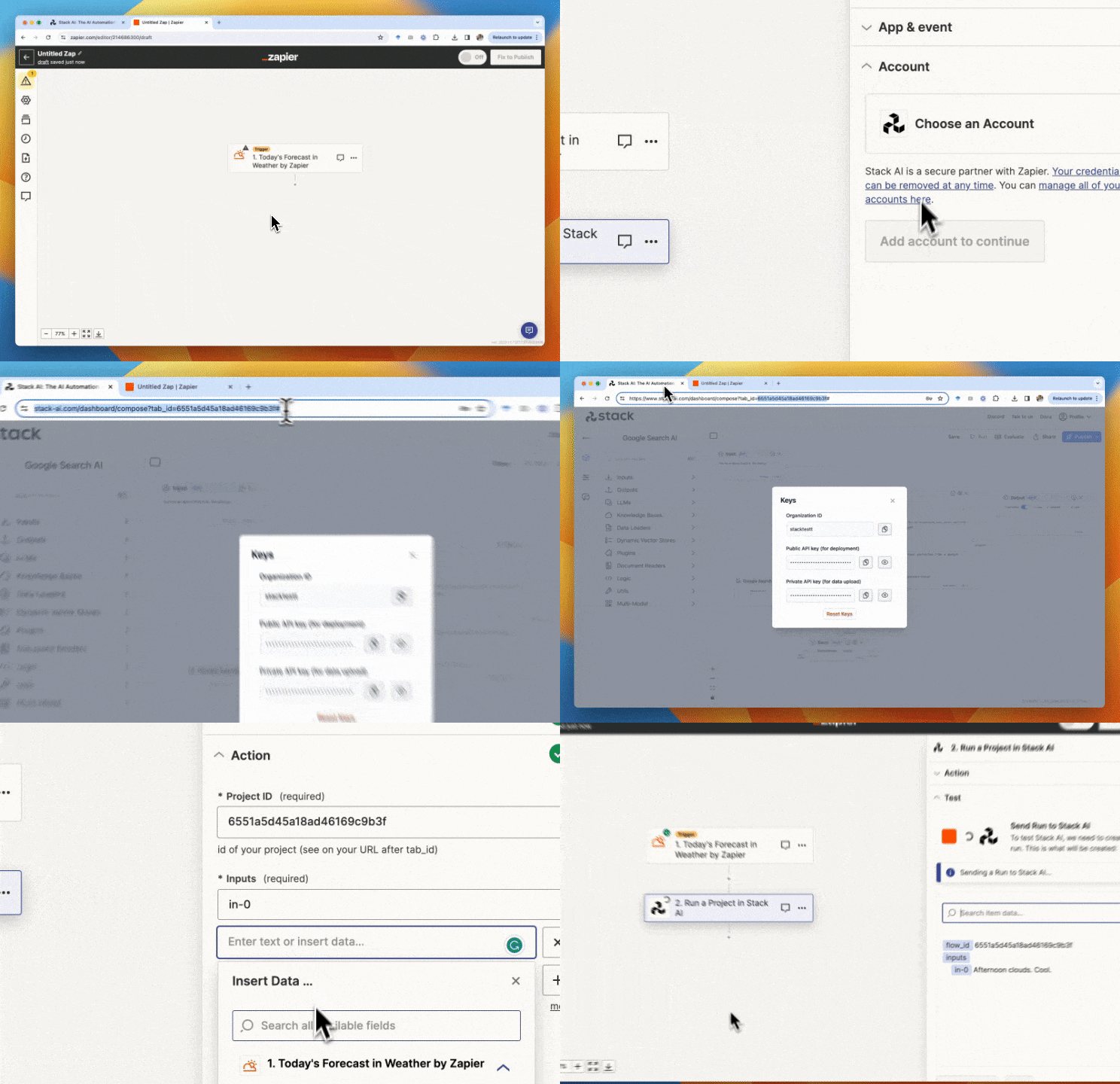
 To integrate your flow, you need to follow the next steps:
- Publish your project.
- Get your flow_id (the code after
https://www.stack-ai.com/dashboard/compose?tab_id=). - Find your Public Token and organization ID (Profiles > Keys).
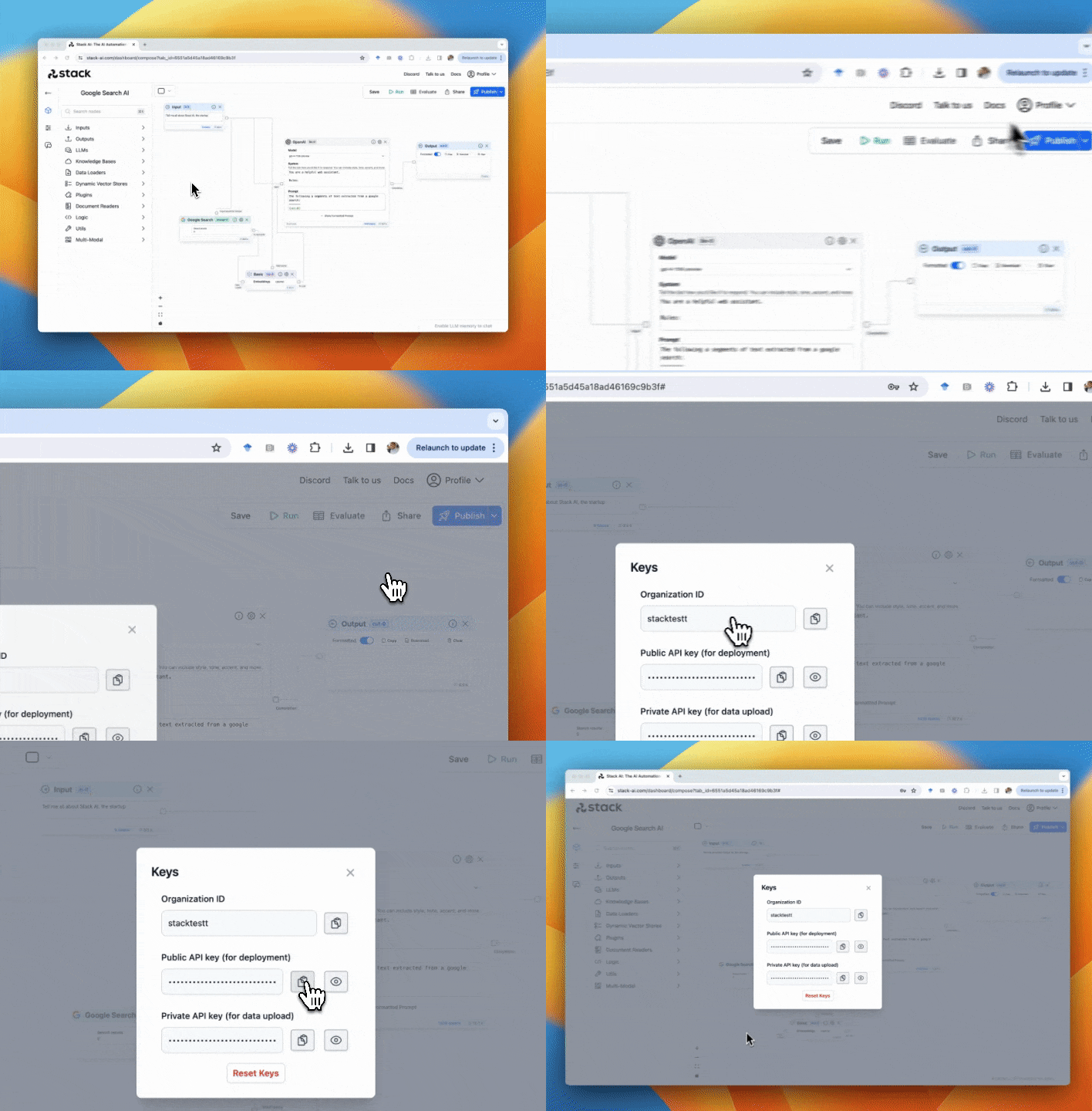
-
Go to your Zapier zap and do the following steps:
- Add a new action.
- Select Stack AI.
- Log in to your Stack AI account.
- Add your flow_id.
- Add the value of each input of the flow (e.g. in-0, in-1, img2text-0)
- Test your integration and you are set!