

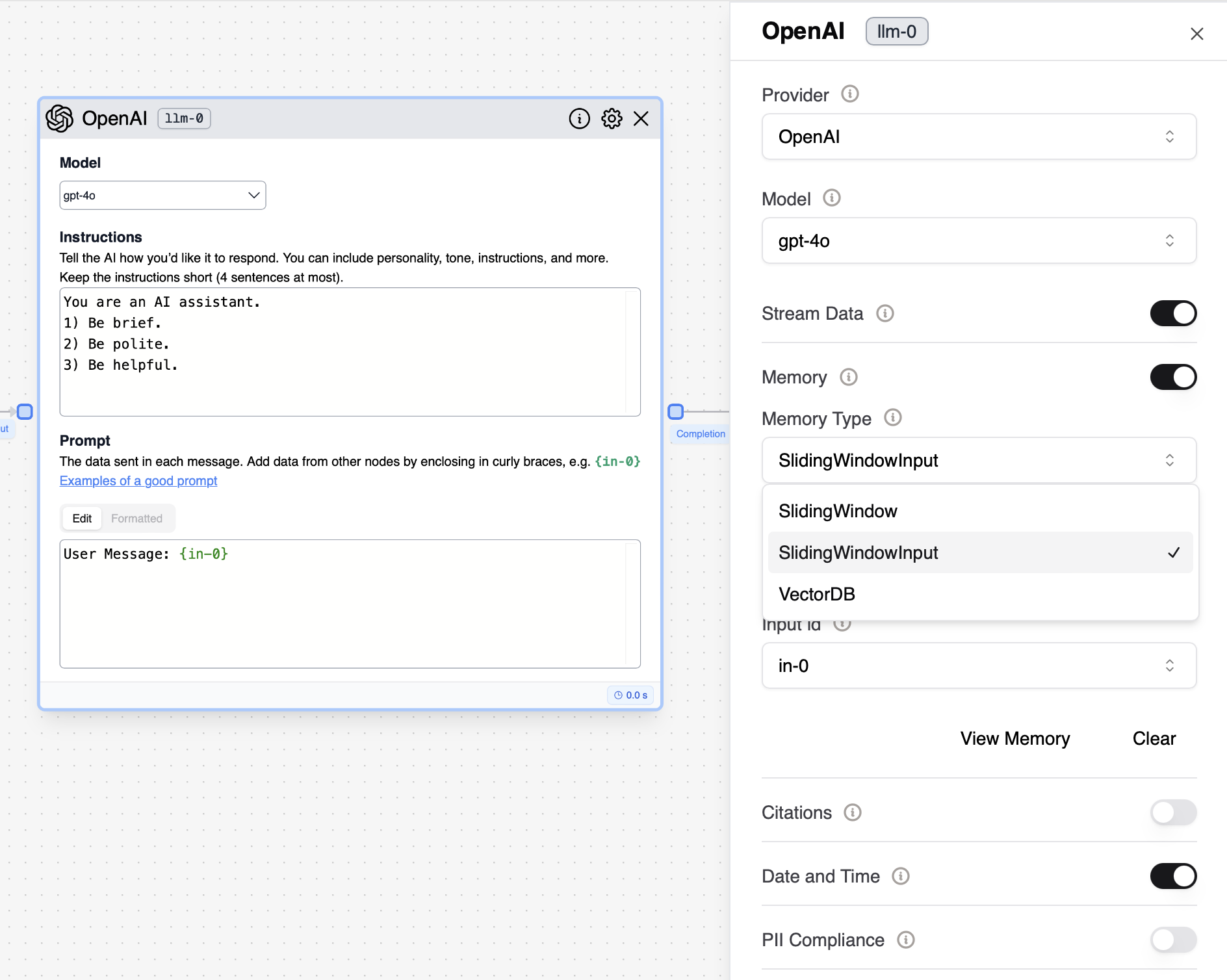
- All the LLM memory is encrypted end-to-end in the Stack AI database.
- This data can be self-hosted under the Stack AI enterprise plan.
- The LLM memory is user-dependent and an instance of the LLM memory.
- Once the deployed as an API, you can specify the user_id for the LLM memory for each user (see Deployer Guide ).
- By default, the “Sliding Window Input” memory is selected when a new LLM node is added to the flow.
-
Sliding Window
- Stores all LLM prompts and completions.
- The modality may consume many tokens as the LLM prompts can often occupy thousands of tokens.
- Loads a window of the previous prompts and completions as part of the LLM conversation memory, up to the number of messages in the window.
- In non-chat models (e.g. Davinci), the memory is added as part of the prompt as a list of messages at the end of the prompt.
-
Sliding Window Input
- Stores all LLM completions and one LLM input parameter (e.g. in-0). The modality is more token efficient and aligned with many applications (e.g. when you only need to store the user message from in-0)
- Loads a window of the previous inputs and completions as part of the LLM conversation memory, up-to the number of messages in the window. In non-chat models (e.g. davinci-003-text), the memory is added as part of the prompt as a list of messages at the end.
-
VectorDB
- Stores all of the inputs and outputs to the LLM in a Vector Database and retrieves the most relevant messages to use as LLM memory.
- This is especially useful if you expect some of the information to be needed at a later time but not in a sequential manner.
- Allows the LLM to access older, contextually relevant interactions without the constraint of a fixed window size.