What is Microsoft Sharepoint?
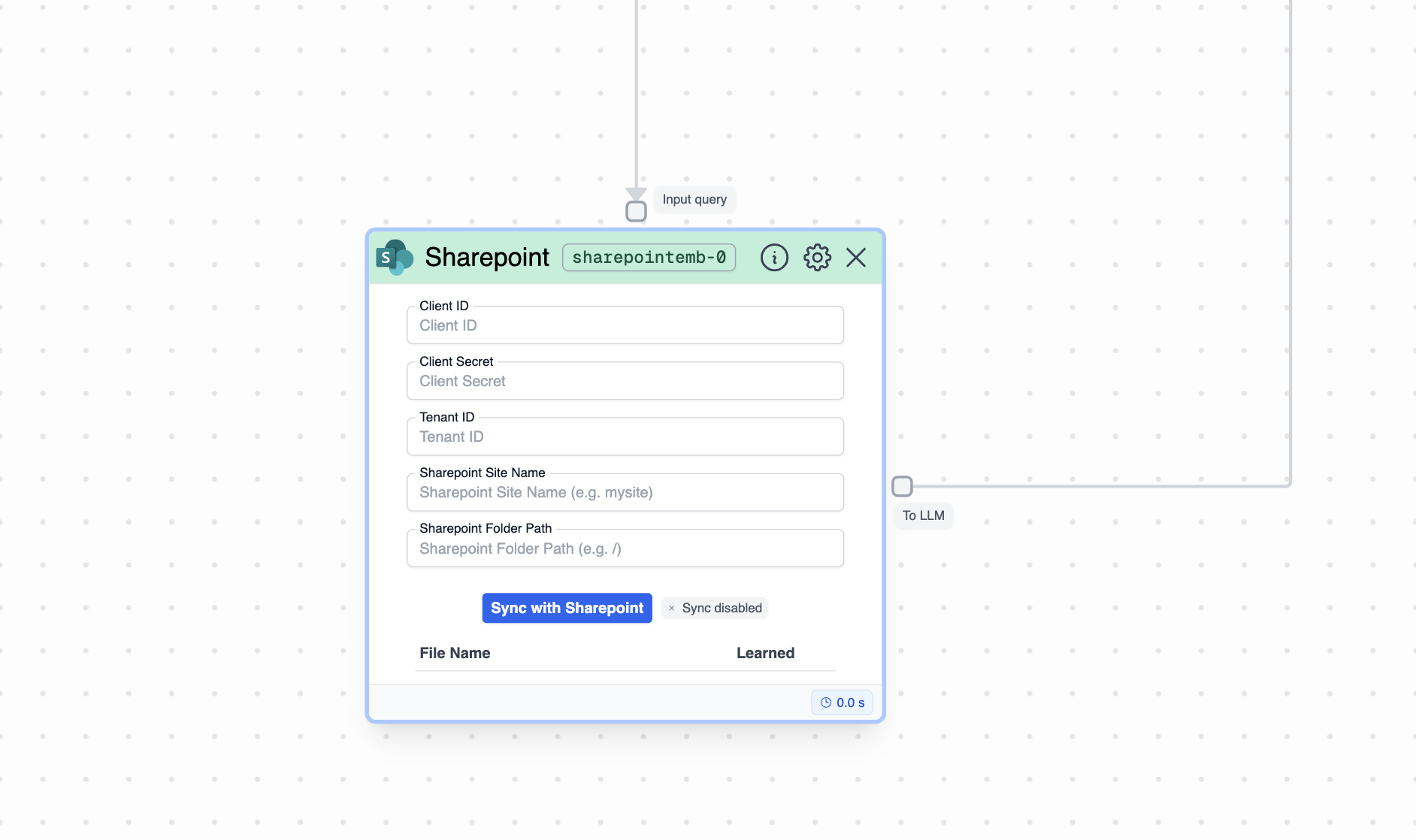
How to use it?
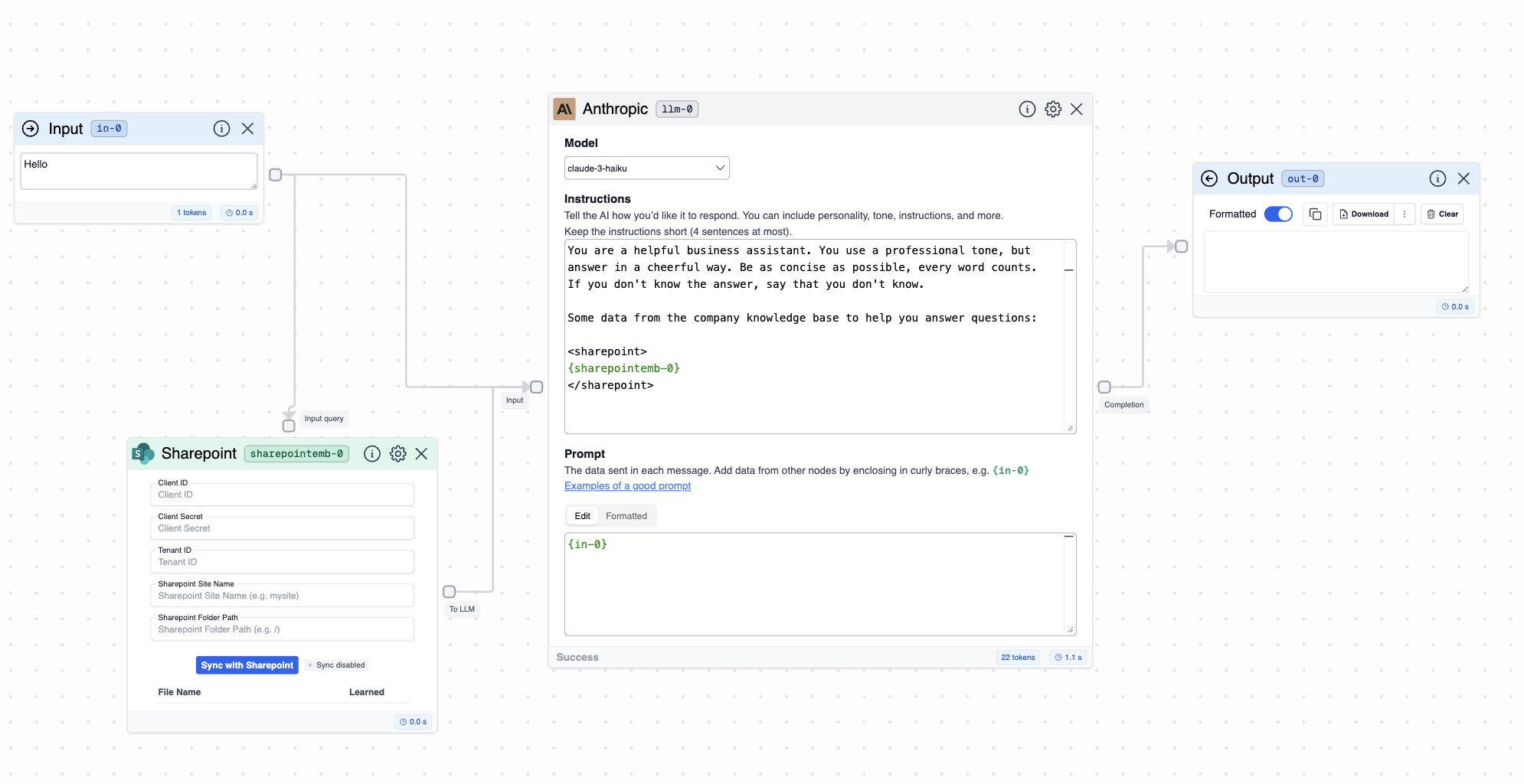
- Input: This node requires a text input. Typically, you would connect the input to an Input node or an LLM. Through this input, you will need to provide the text query that you want to search for in your Sharepoint.
- Output: This node outputs chunks of information after having filtered the information in Sharepoint based on your query (your input). Typically, you would connect the output to an LLM or Output node.
- Go to App Registrations in Azure: visit your Azure Portal and go to “App Registrations” here.
-
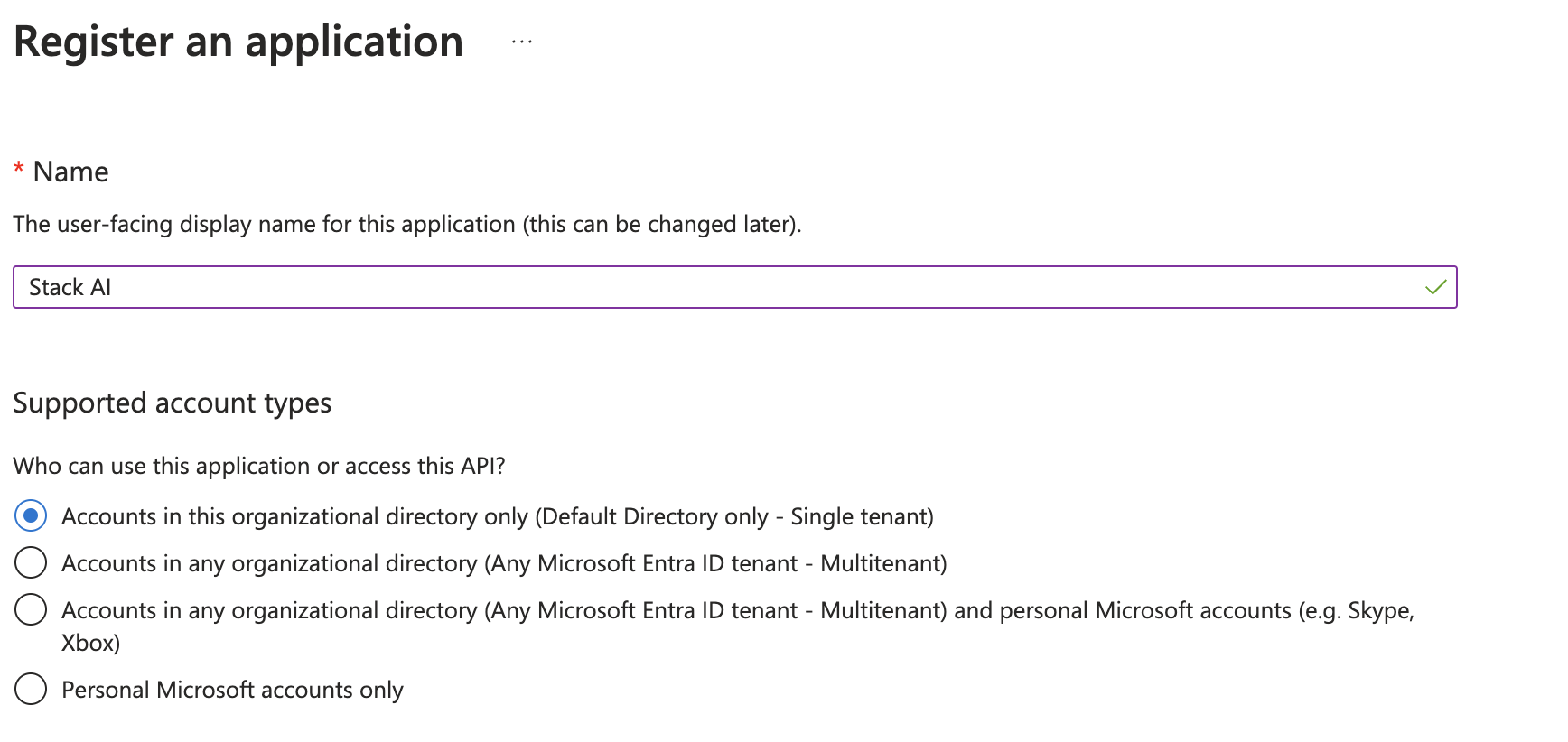
Create App: Click on “New Registration”. Add a name to your app and select “Accounts in this organizational directory only (Default Directory only - Single tenant)”.
- Get Client ID and Tenant ID: get your client and tenant id from the “Essentials” section. You will find them under “Application (client) ID” and “Directory (tenant) ID ”.
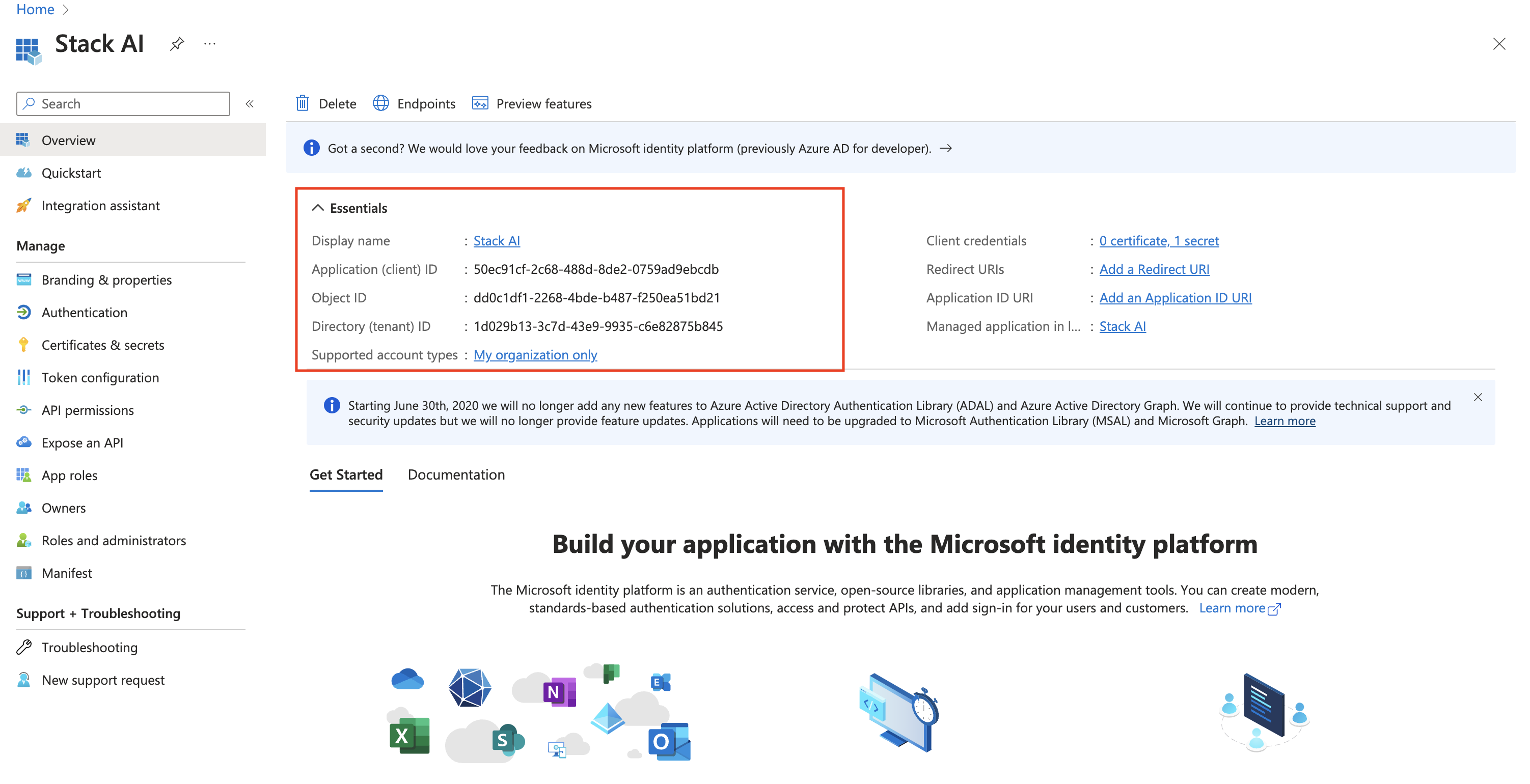
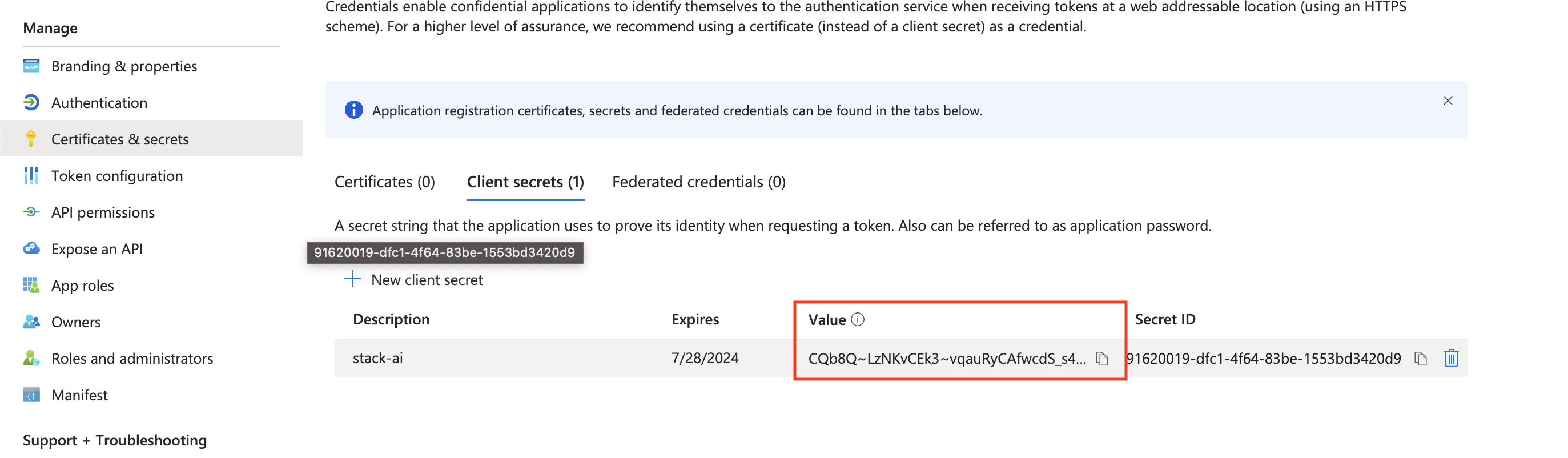
- Create a client secret: Navigate to “Certificates & Secrets” then click on “New client secret”. Give an expiration date to your secret. Finally, you will find the client secret in the “Value” field of the secret.
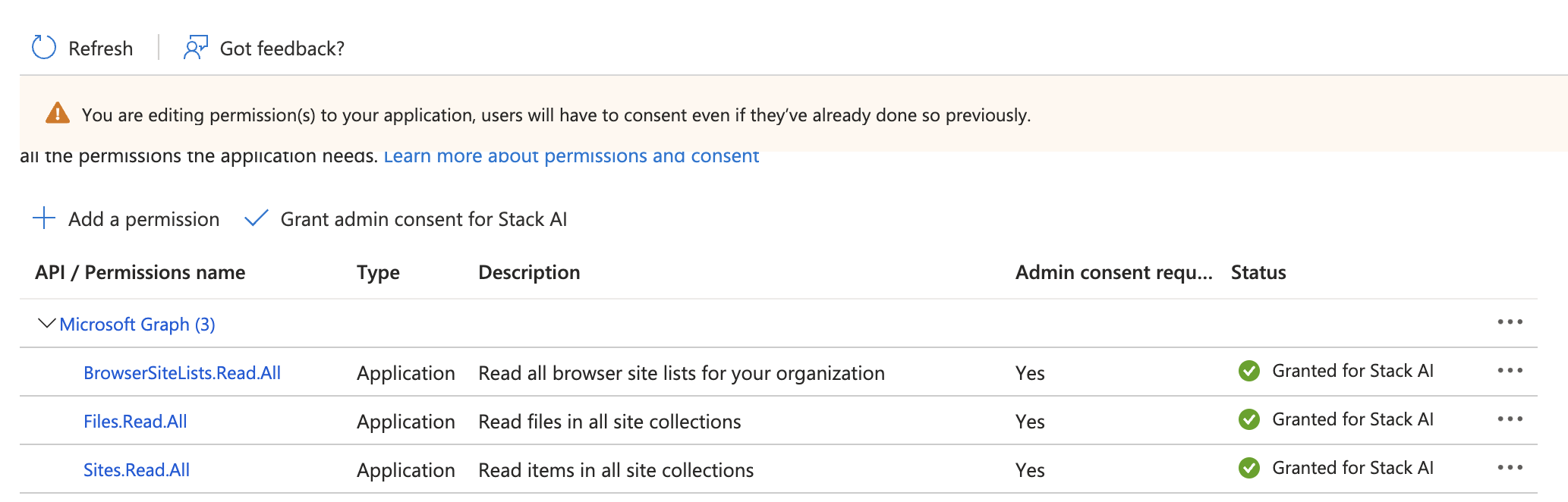
- Add Scopes: Naviate to “App Permissions” and then click on “Add a permission”. Click on “Microsoft Graph” and select “Application Permissions”. Then select the following scopes: Sites.ReadAll, Files.ReadAll, BrowserSiteLists.Read.All. Then click on “Add Permissions”. Finally click on “Grant Admin Consent for Default Directory”.