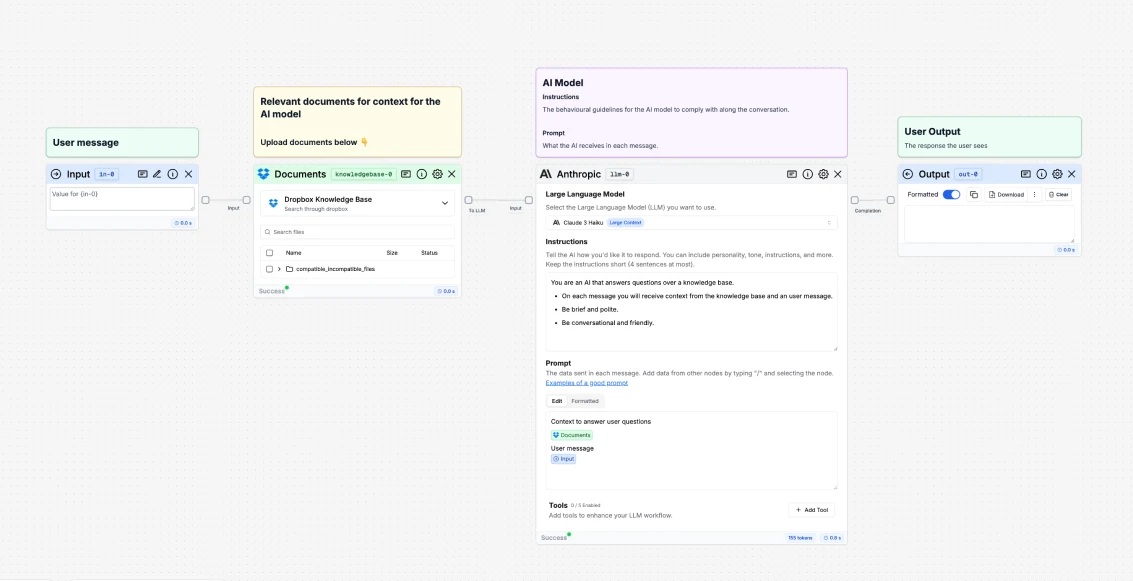
What is a Dropbox node?
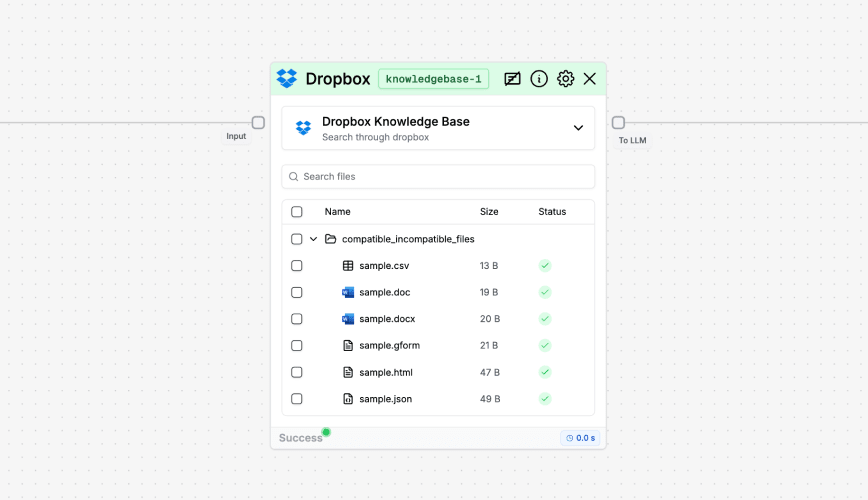
Dropbox Node Settings
If you click the gear icon in the node, you will see the available settings.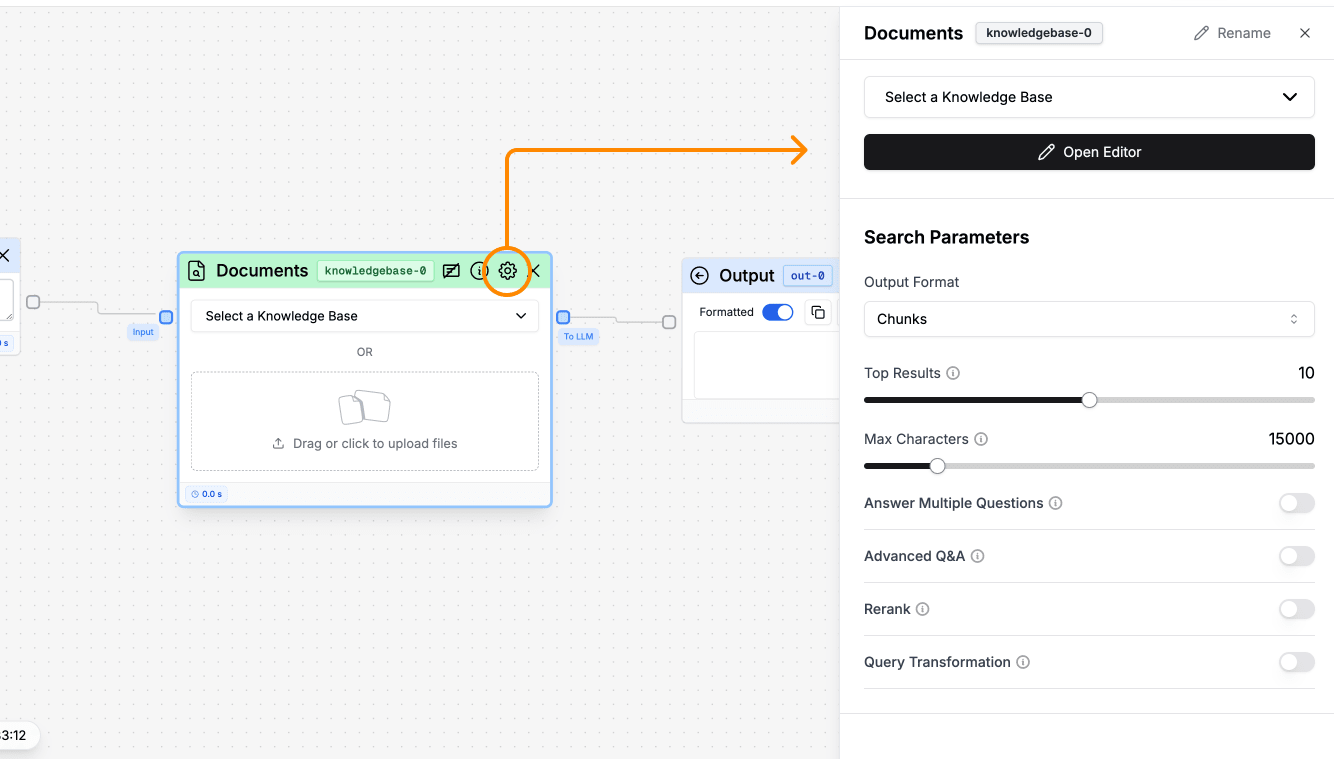
- Output Format: Choose between chunks, pages, and docs.
- Top Results: Number of search results ranked by relevance.
- Max Characters: Limits the number of characters sent to the LLM.
- Answer Multiple Questions: Get the answers from multiple questions in parallel.
- Advanced Q&A: Handle questions to compare or summarize documents.
- Rerank: Get more precise information retrieval
- Query Transformation: Get more precise information retrieval
Pick files to upload
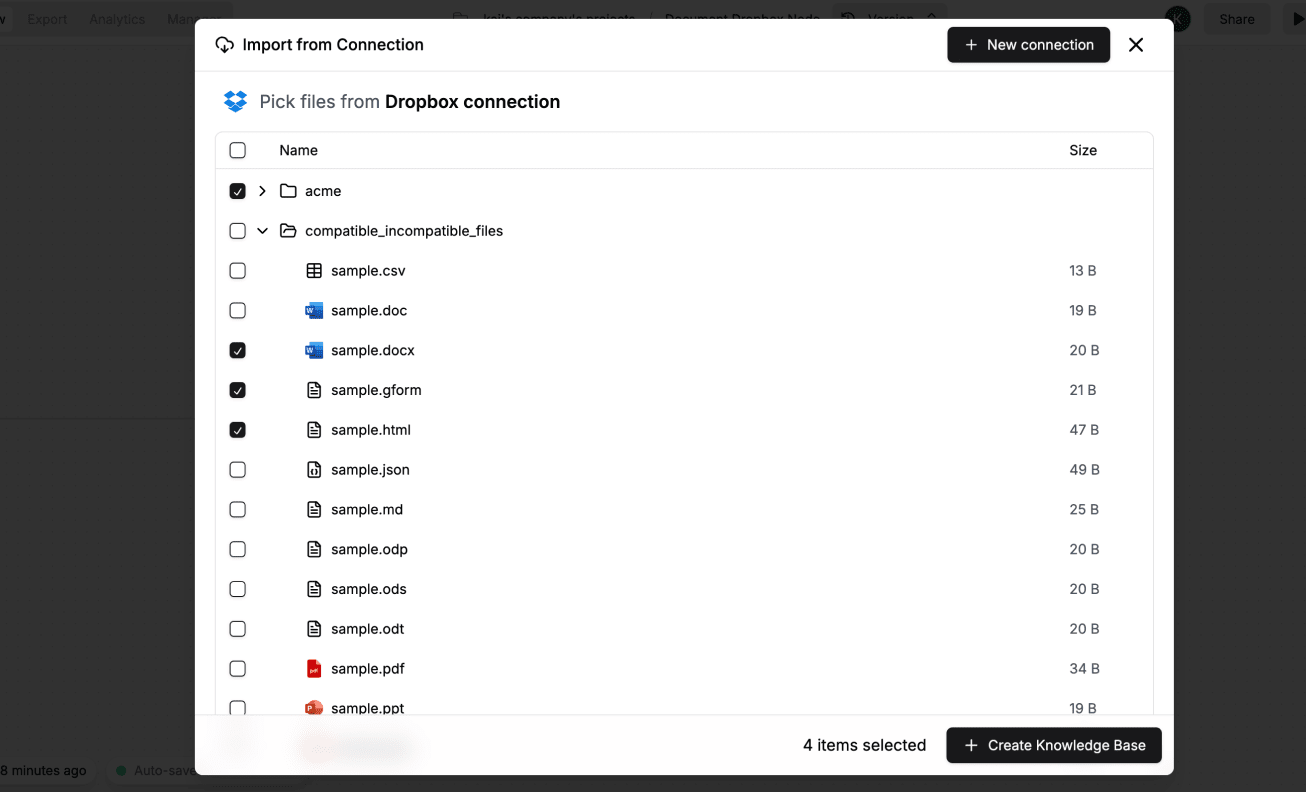
File statuses
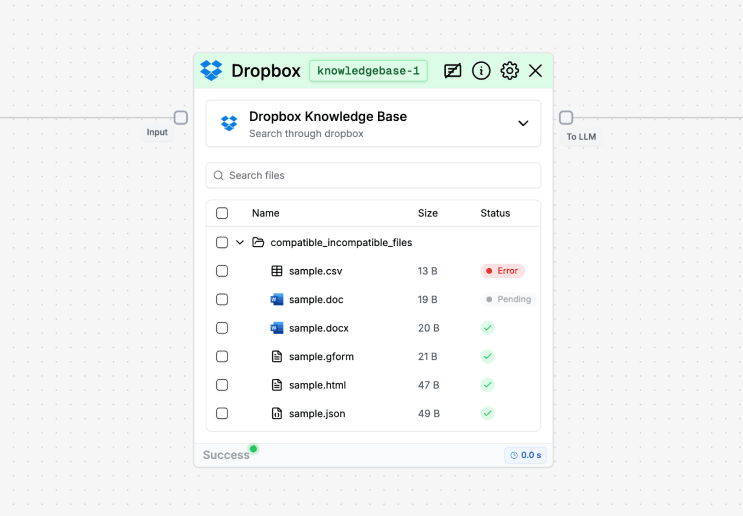
- Pending: the document is being processed and indexed.
- ✅: the document was successfully indexed.
- Error: the document could not be indexed (e.g., due to a formatting issue).
How to use it?