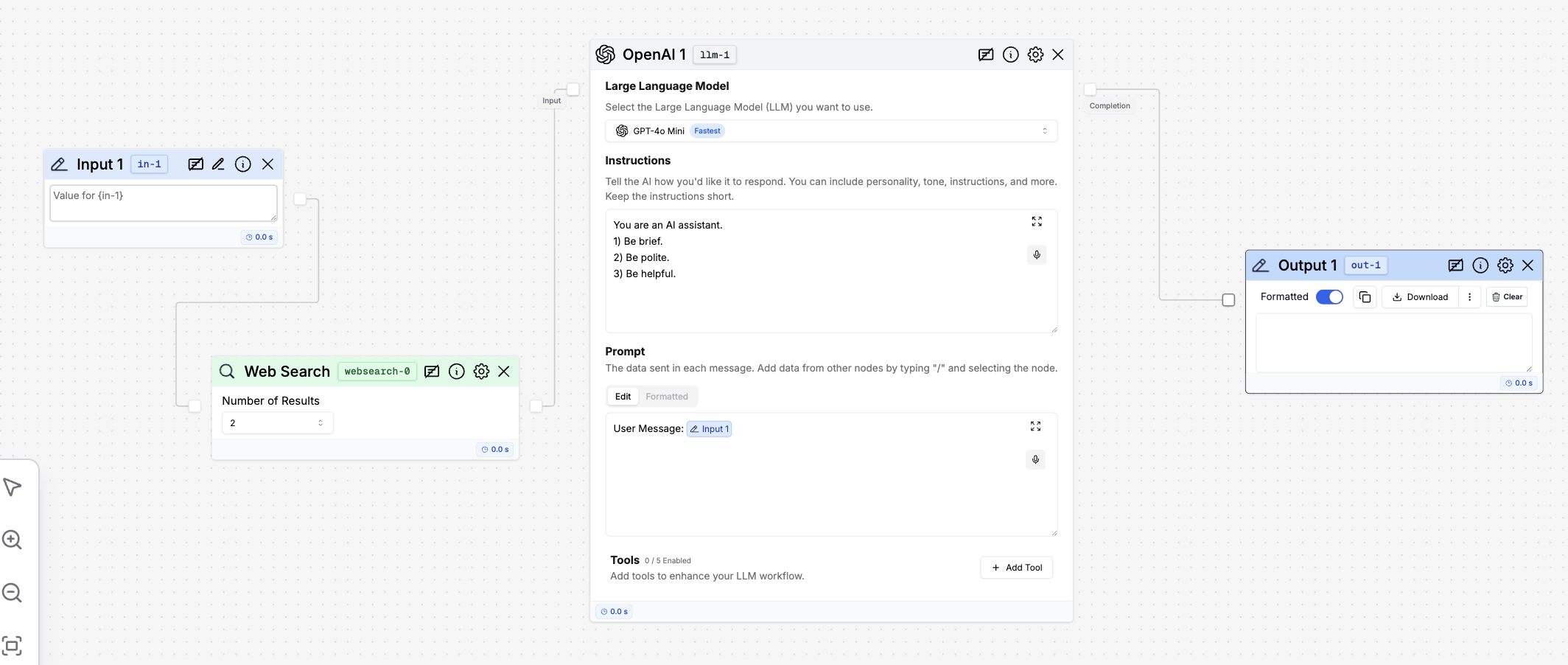
What is a Web Search node?
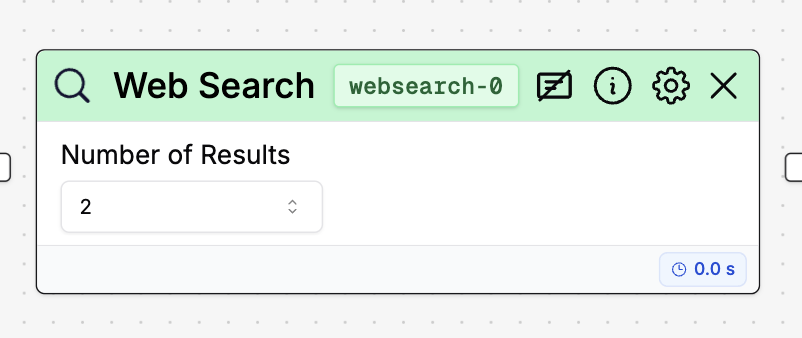
Knowledge Base Editor
If you click the settings icon in the node, you can open the Knowledge Base Editor. This allows you to manage the settings of the Web Search node directly within the workflow.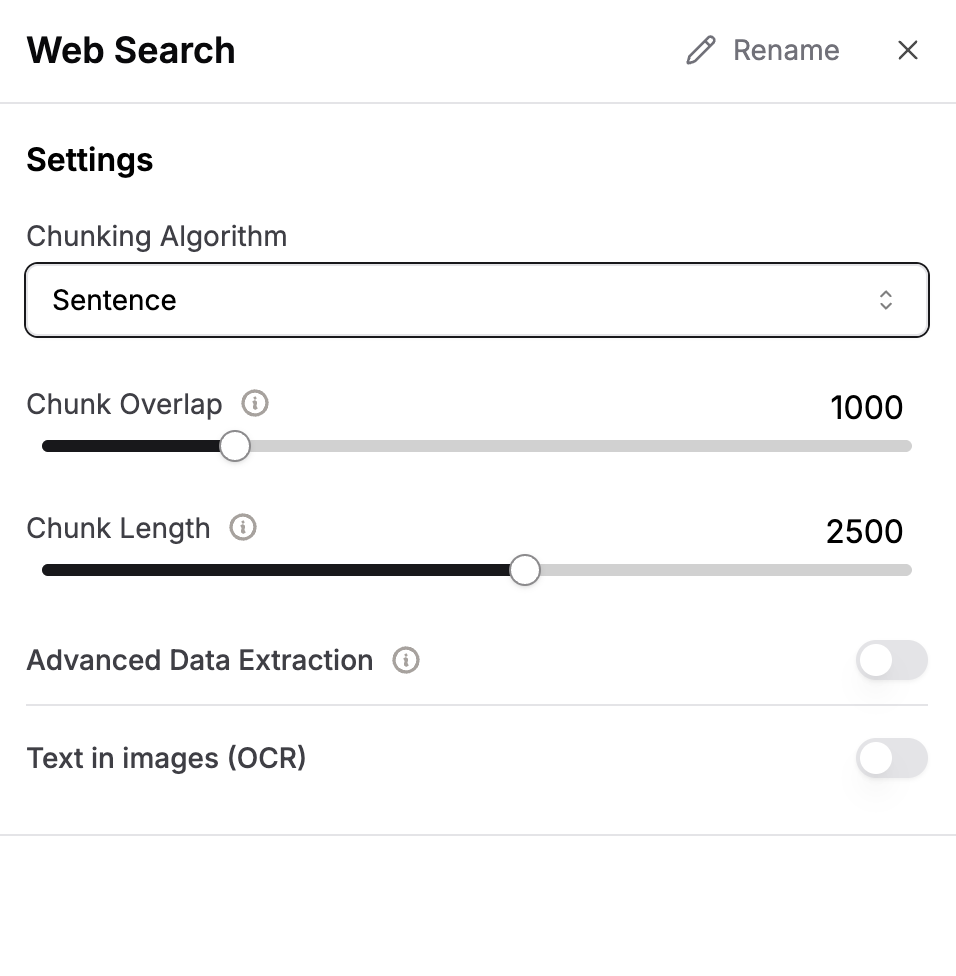
Settings
The Web Search node has several configurable settings:- Chunking Algorithm: This setting allows you to choose how the search results are chunked.
- Chunk Length: You can specify the maximum length of each chunk of information retrieved.
- Chunk Overlap: This setting determines how much overlap there is between chunks.
- Advanced Data Extraction: This option enables advanced features for extracting data.
- Text in images (OCR): This setting allows the node to extract text from images using Optical Character Recognition (OCR).
How to use it?