Step 1: Drag in a Snowflake Node
In the workflow builder, drag a Snowflake node onto the canvas.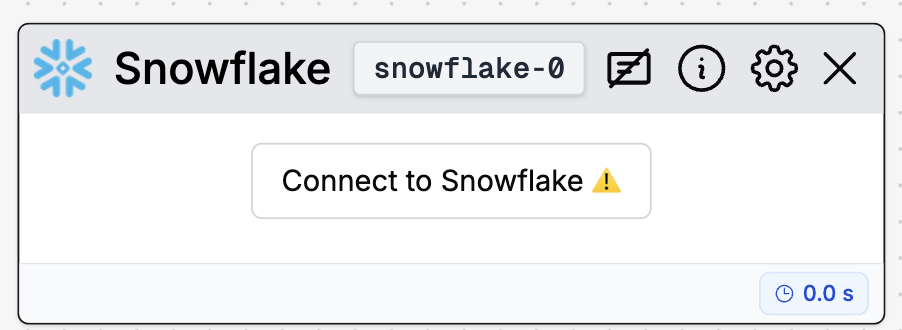
Step 2: Click into the Node and Hit “New Connection”
Click the node to open its settings, then select New connection.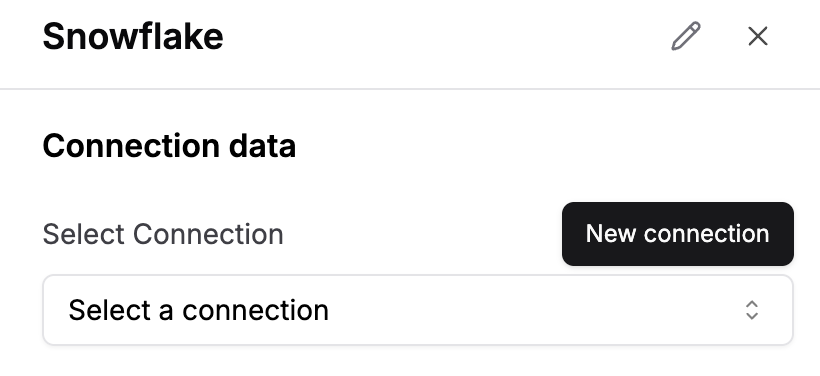
Step 3: Fill in Connection Fields
Enter the required connection details into the form according to the table and notes below:| Field | Value |
|---|---|
| Connection Name | This is whatever you want to name the connection |
| User | Your chosen Snowflake account username |
| Password (Optional) | Your chosen Snowflake account password |
| Private Key (Optional) | Only if using key-pair authentication |
| Account | nqxzcwd-ab12345 (see where to find below) |
| Warehouse | DUMMY_WAREHOUSE (see where to find below) |
| Role | ACCOUNTADMIN (see where to find below) |
| Database | DUMMY_DB (see where to find below) |
| Schema | DUMMY_SCHEMA (see where to find below) |
Account
This is your account identifier. Find it here: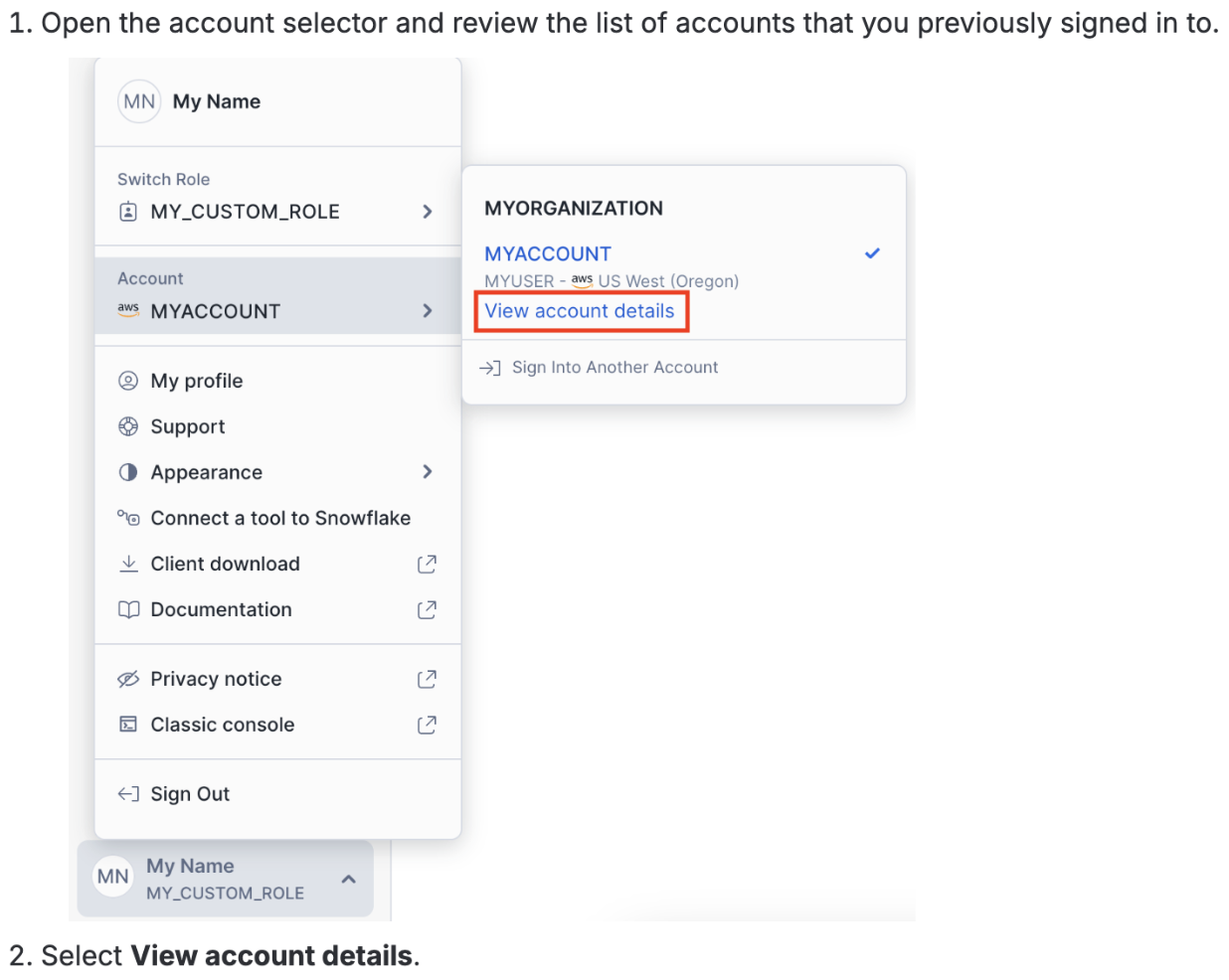

Warehouse
Find it here: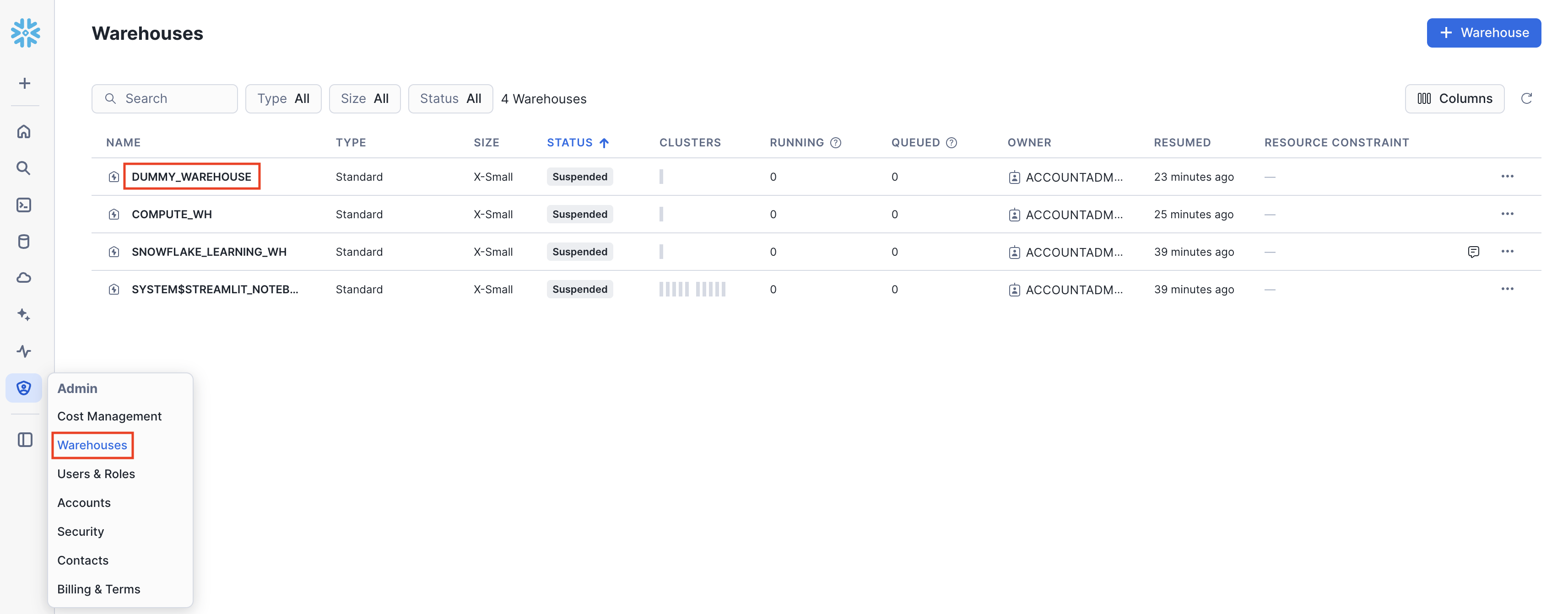
Role
Find it here: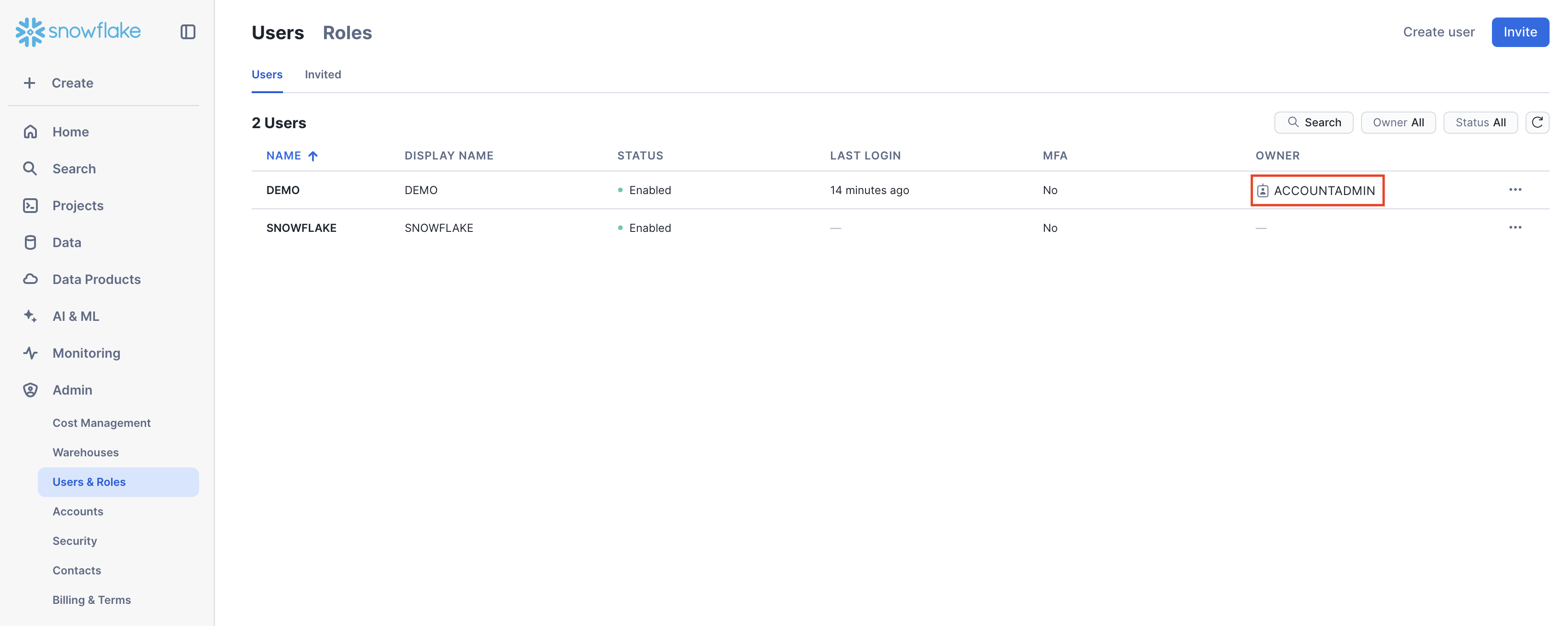
Database
Find it here: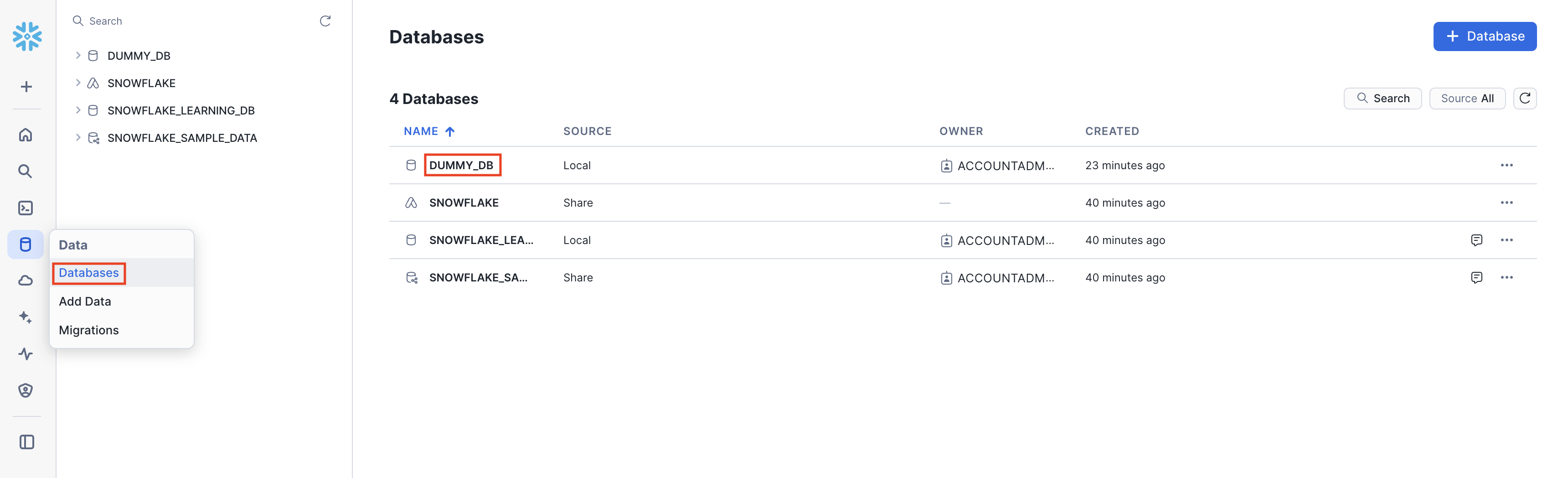
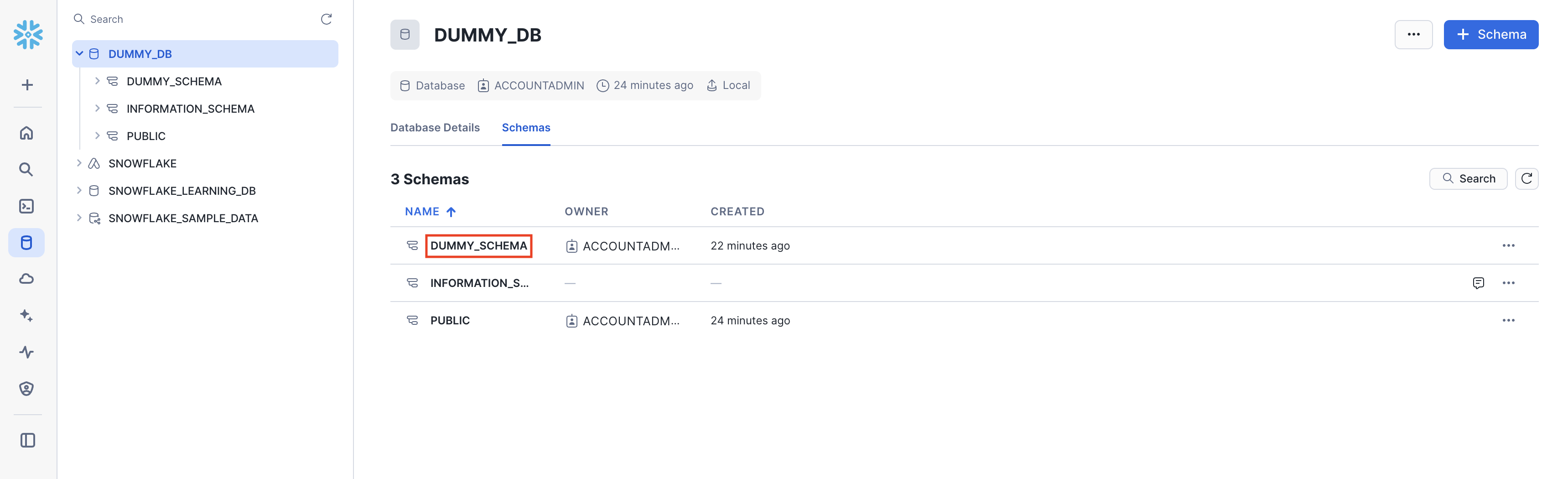
Schema
Find it here: